Write the plot, get a manga page
Describe what happens on the page. LitMemo drafts the panels, descriptions and dialogue, you edit them, and it draws panel by panel with your own characters.
Get started nowLitMemo is an AI manga generator that works from your text. Write what happens on a page and AI drafts two to seven panels, with a visual description and dialogue for each. Edit anything you like, then draw the whole page panel by panel. Your characters come from your own reference art, so the same face and costume carry through. Move from rough sketches to line art, screentones and color, then export a layered PSD. Prefer to lay out the page yourself? Pick a panel layout and draw one panel at a time.
Read a short manga made in LitMemo
The Japanese original of The Hundredth Day at Lost and Found was made in LitMemo and drawn by its AI: one plot, two characters and a location, then draft, line art and four finished pages.
It starts with a plot
A rainy night at a small mountain station. A high-school girl runs to the lost-and-found window and asks about a black umbrella. "Nothing," says the old clerk. "That makes a hundred days." Tomorrow the station closes for good, and only now does he take the umbrella from under the counter.
Characters and location
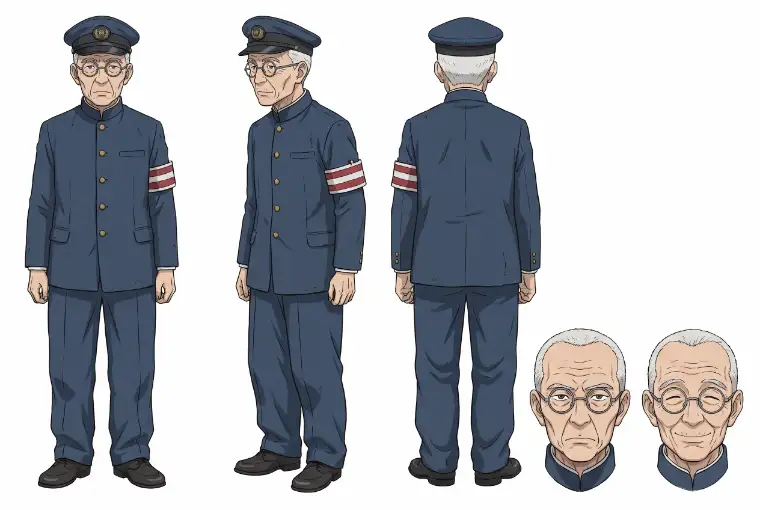
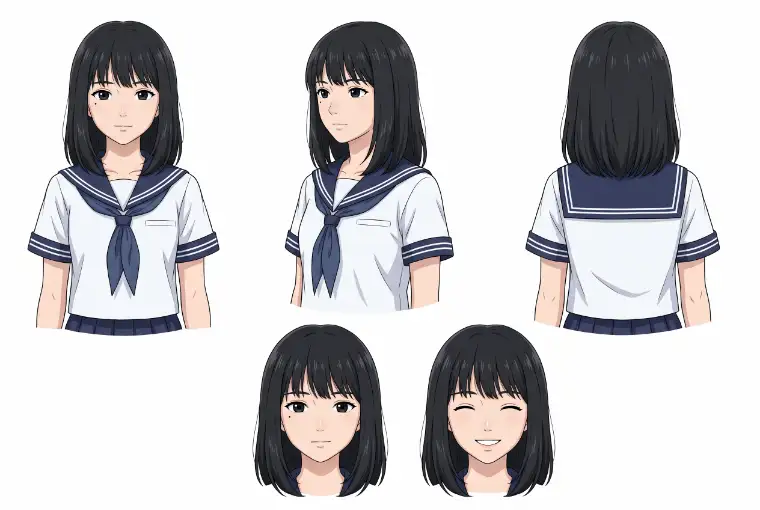
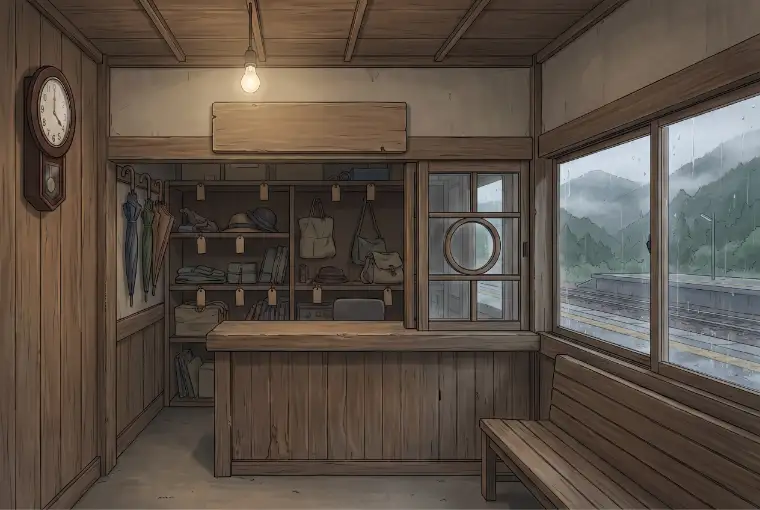
From draft to line art
Drag sideways to compare the draft and the line art of one panel.
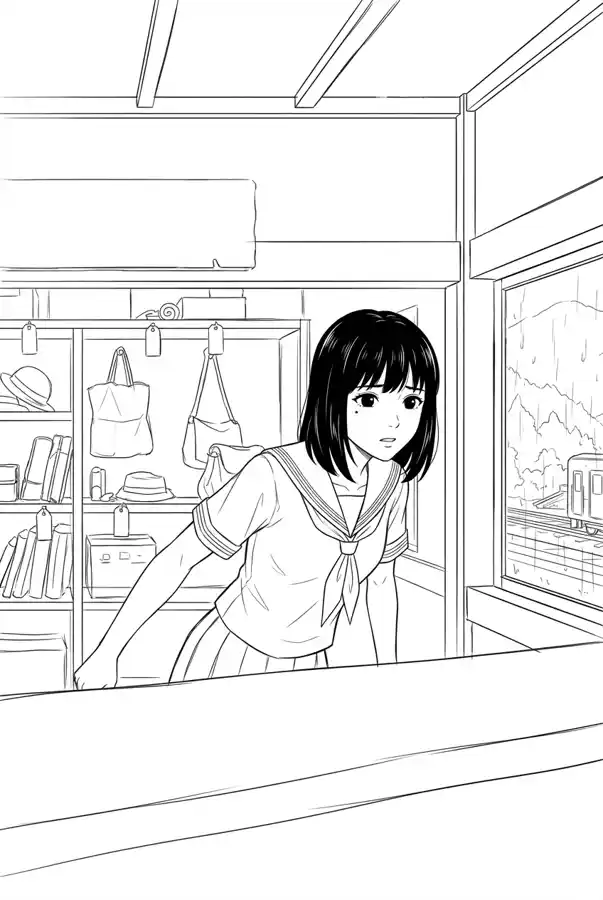
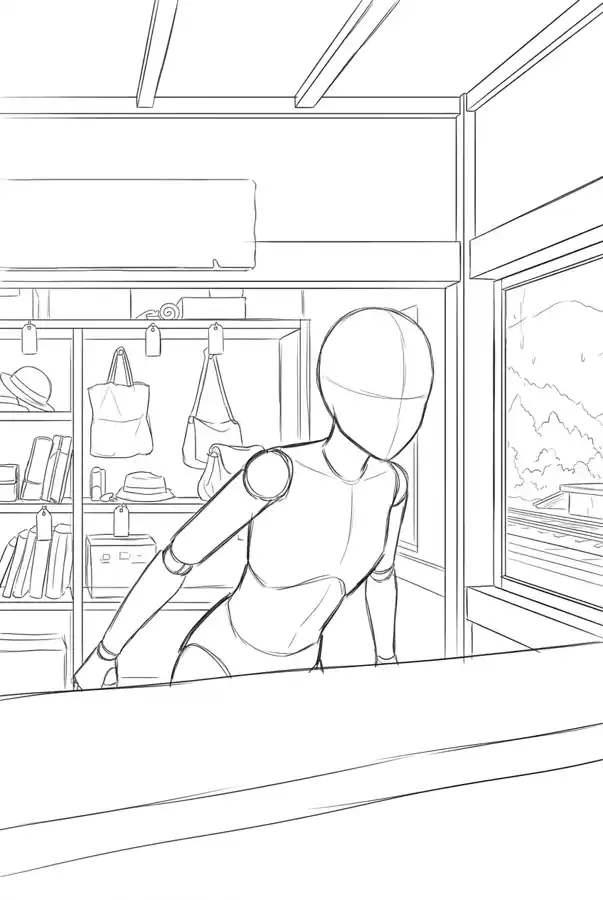
Four finished pages
Each page reads from the top right to the bottom left.
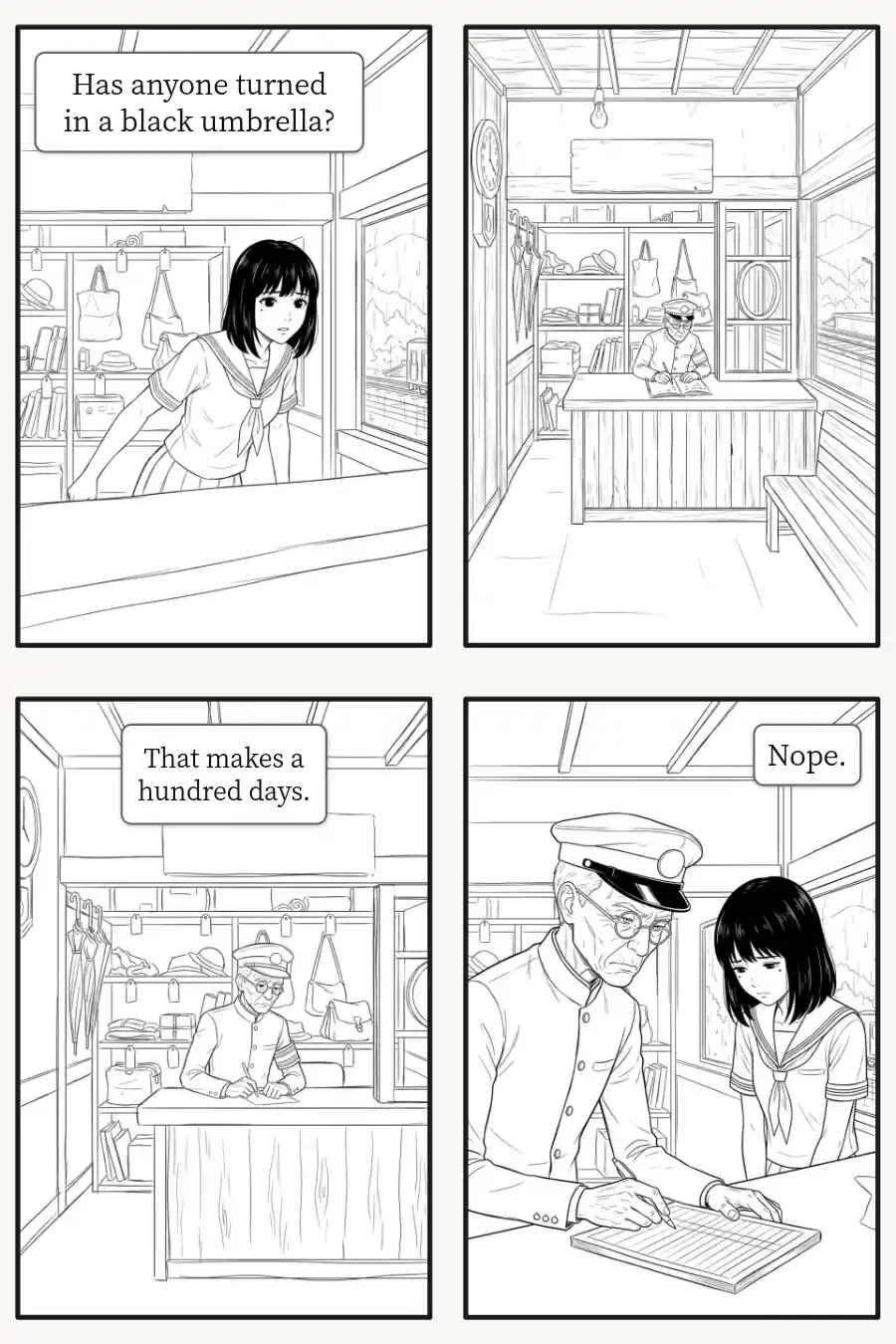
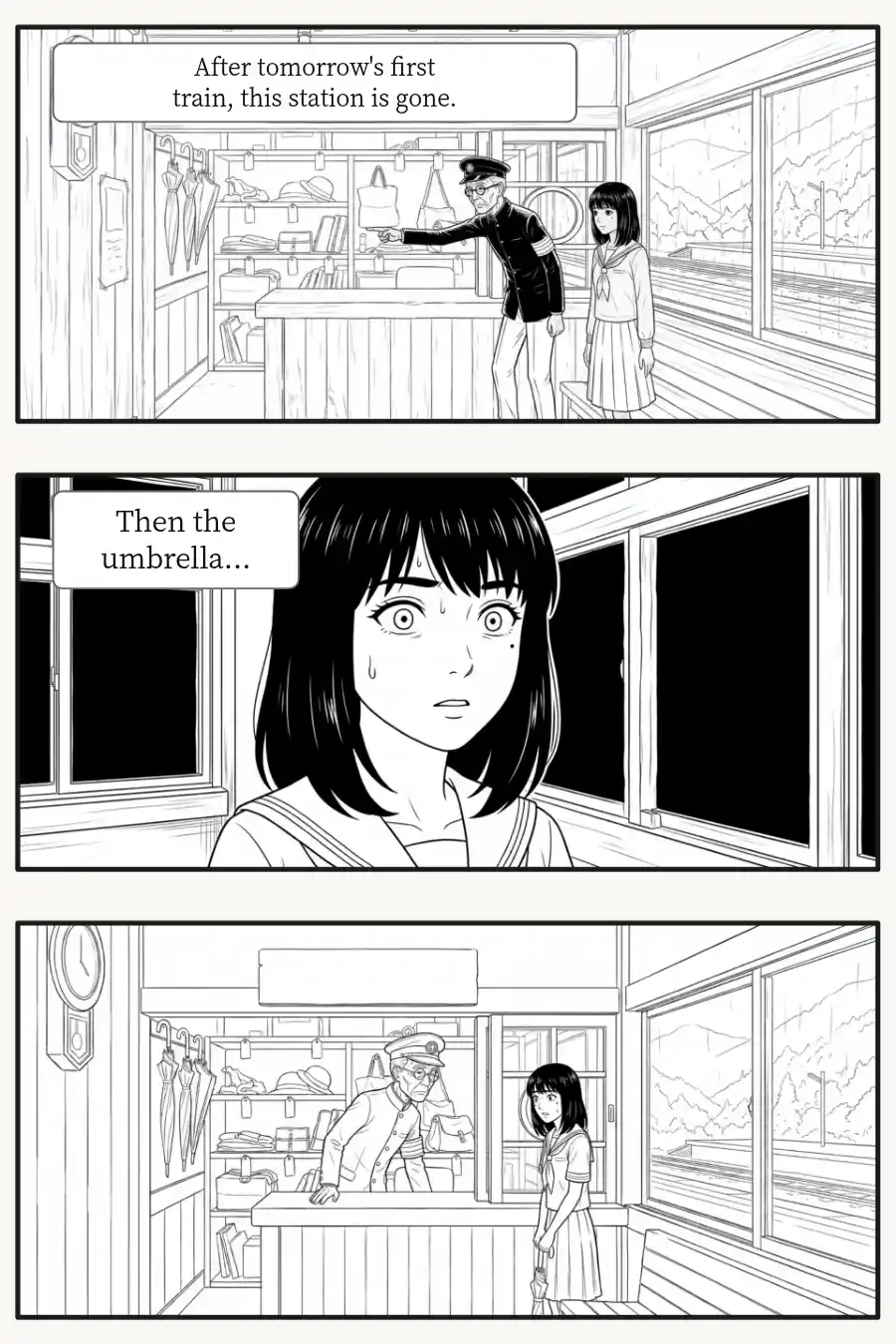
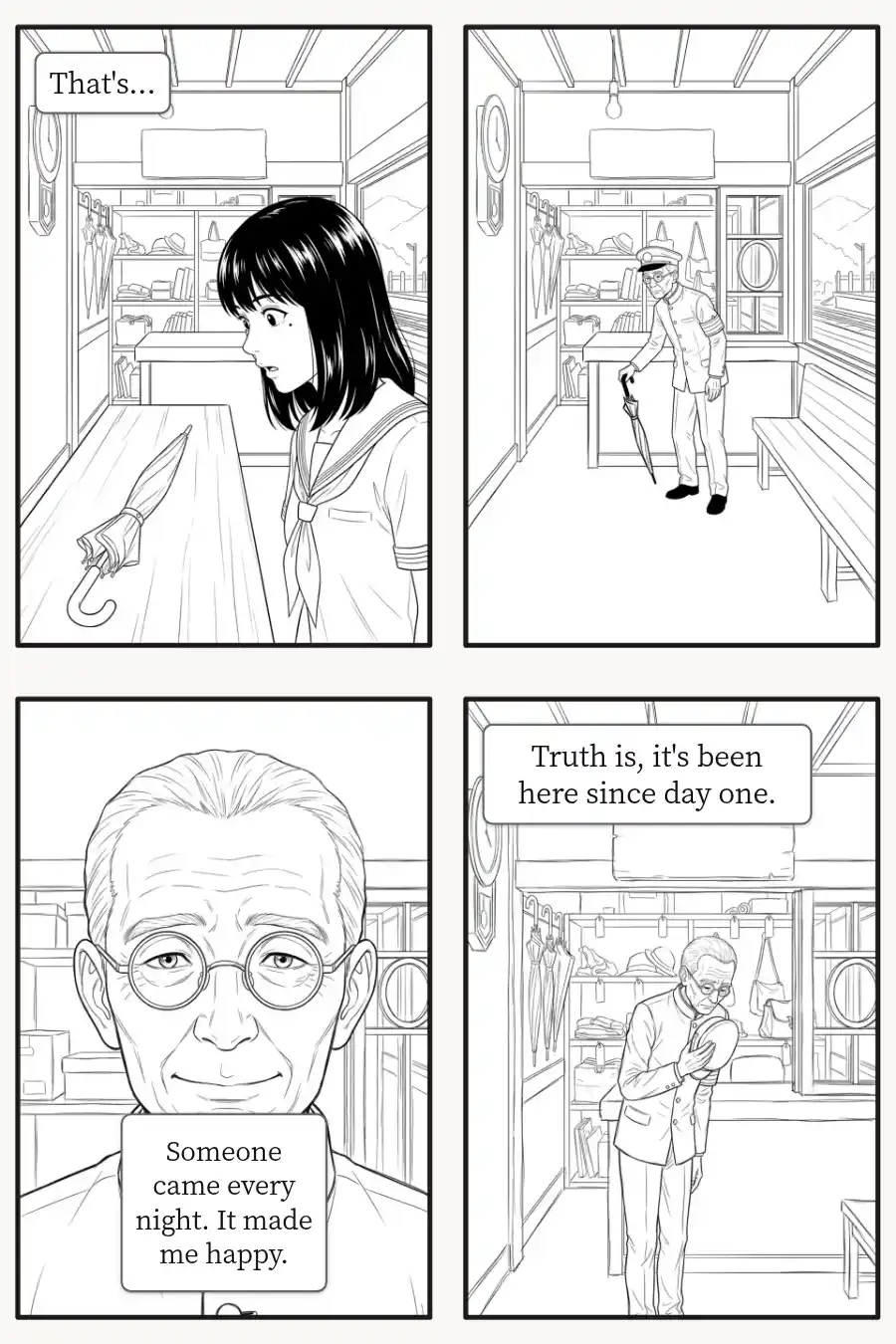
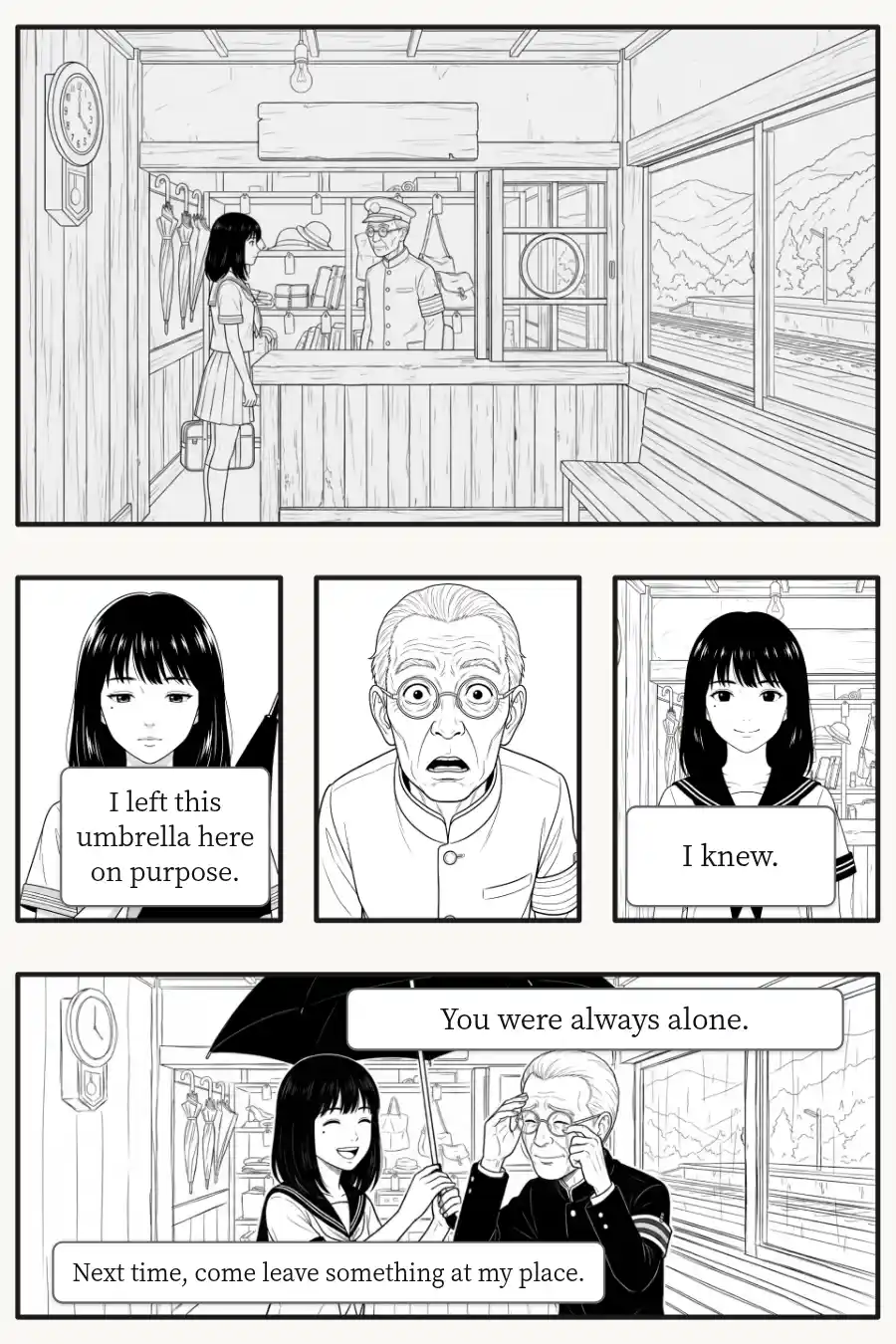
The Japanese original was made in LitMemo. Dialogue in this edition was translated and lettered separately.

"In every panel the AI generates, the character looks like a different person — there's no way to string them into a chapter..."
A general image generator starts from zero every time: the face changes from panel to panel, the art style drifts, and nothing adds up to a page. Manga needs panels planned from your story and drawn with characters the tool remembers.
AI manga generation: the core features
From plot to a full page
Write this page's plot, tag who appears, and choose a panel count or let AI decide. AI drafts the layout with a description and dialogue for every panel, and the draft becomes real panels you can rewrite, rearrange or draft again. Panel descriptions and dialogue are written in the book's language. Press "Generate this page" and panels are drawn in reading order, each carrying over the lighting and background from the panel before.
- Plot to two to seven panels, with descriptions and dialogue
- Every word of the draft is yours to edit before drawing
- Choose how far to draw: rough sketches, line art or a later stage
- When a stage is done, one click takes the whole page to the next
Your characters, panel after panel
Each panel is drawn with the reference art of the characters in it: an image you uploaded, a turnaround sheet or an expression sheet. Costumes follow the chapter range you set, and you can switch outfits on any single panel for a flashback. Set an art style on the book and the whole story is drawn in it.
- Reference art is included with every panel
- Costumes by chapter, with a per-panel change when you need one
- One art style for the whole book
Drawn to fit manga pages
Layouts run from two-panel pages to seven, plus two-page spreads and vertical webtoon strips. Pick a pose from the built-in library to guide a panel's composition. Panels with dialogue leave breathing room for speech bubbles, so text rarely covers a face. Each stage builds on the last, and you can upload your own art at any stage.
- Page layouts, two-page spreads and webtoon strips
- A pose library to guide composition
- Rough sketches, line art, screentones and color, by AI or your own upload
Have you run into this too?
「You have a story and no storyboard yet」
Write the plot of one page. AI drafts the panels, descriptions and dialogue, which gives you something real to edit, page after page.
「A general AI image tool gives you a different face in every panel」
Upload your character art or make a reference sheet once. Every panel is then drawn from it, so a whole chapter reads as the same cast.
「You want AI for the base and your own hand for the finish」
Download any stage as a PNG, or export a layered PSD with panel art, borders, speech bubbles and text on separate layers, ready to continue in any app that supports PSD.
The usual way vs LitMemo
| The usual way | LitMemo | |
|---|---|---|
| Where a page starts | A one-off prompt | Your plot, drafted into editable panels |
| Your characters | Rerolled each time | Drawn from your reference art |
| Page layout | One image at a time | Layouts, spreads and webtoon strips |
| Dialogue | Added later, over the art | Space left for balloons, text stays editable |
| Finishing | A flat image | Layered PSD for your drawing app |
Get started in four steps
- 1
Set up your characters
Upload character art or generate a reference sheet for each character who appears
- 2
Write the page's plot
Say who, where and what happens, then let AI draft the panels and dialogue
- 3
Edit, then generate the page
Adjust the draft and draw the page, from rough sketches up to the stage you choose
- 4
Export and finish
Download PNGs or a layered PSD and finish in your drawing app
Frequently asked questions
Yes. Write what happens on a page and LitMemo drafts the panels, visual descriptions and dialogue. You edit the draft, then it draws each panel with your characters and places it in the layout.
Upload your character art or make a turnaround sheet, and add an expression sheet if you like. Those images are included with every panel that character appears in, and costumes follow the chapter range you set.
Yes. Download any stage as a PNG, or export a layered PSD with panel art, borders, speech bubbles and text on separate layers, ready to continue in any app that supports PSD.
Yes. Create a free account, start a manga book, and try a page with rough sketches and line art.
Better together
AI character generator
Build a character from your own art or written profile, the base every panel is drawn to
Learn moreCharacter management
Reference art, costumes and appearance live on one character card
Learn moreWorldbuilding management
Keep your world's places and rules beside the storyboard
Learn moreWherever the pen rests, there is home
Your world
deserves somewhere to live
Start now, and scale up as your world grows